Trike! Primeval Earth Controls players actually use
WASD and Shift on PC, on-screen sticks on mobile, and swim notes from Xbox lobbies. Not an official bind sheet.
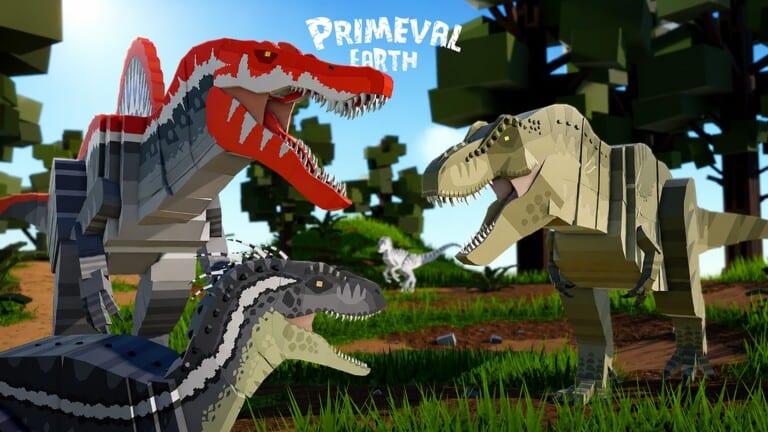
Trike! Primeval Earth does not publish a full official keybind bible in the Roblox description. What follows is what players report in lobbies and in control videos, including Spinosaurus sessions on mixed land and water maps. If a patch remaps a button, believe the in-game UI over this page. Use this as a starting sheet so you are not guessing while a baby is already thirsty.
Read how to play for why these inputs matter, how to fly for stall, and how to grow so you do not practice bite on a full adult as a hatchling.
PC inputs players report
- Move: WASD.
- Sprint: hold Shift on land. On flyers, players hold Shift to flap; releasing starts a glide, and if you stop flapping long enough the morph stalls and falls.
- Camera: mouse look.
- Bite / attack: mouse click. Semi-aquatics such as Spinosaurus use the same bite once they are in range; the video below is a useful watch if you keep missing on the waterline.
- Jump / surface: Space on land. In water, players treat jump as the up equivalent when they are not on a gamepad.
- Crouch / descend: the crouch bind you already use in Roblox. In water, players treat it as the down equivalent.
Those swim equivalents are reports, not a studio PDF. If your crouch is rebound in Roblox settings, descend will follow that rebind.
Menu actions are easier to get wrong than WASD:
- Gift / codes: gift button on the main menu, not in the pause HUD after you spawn. How to redeem shows the field. Paste working codes there.
- Group / packs: Group button at the top-left of the HUD. Create a pack or invite. This is how you stop friendly fire inside a stack. Details belong on how to survive.
If bite does nothing, you are out of range, on a cooldown, or clicking while the menu still has focus. Click the world, then click again.
Xbox and other gamepads
Xbox players report Y to swim up and A to swim down on aquatic morphs. That pairing matches a lot of Roblox dinosaur games, but it is still a player report. If your lobby uses a custom controller map, look at the on-screen prompts the first time you enter water instead of memorizing this paragraph.
Land movement on a pad is the left stick. Sprint is usually the left stick click or a bumper; check the prompt the first time you spawn rather than assuming it is Shift. Bite is a face button. The Group button is still a HUD element you highlight with the cursor or a shortcut, not a hidden combo.
If Y/A feel inverted compared with another dino game you play, that is the report to trust: Primeval Earth swim on Xbox is Y up, A down according to players who recorded it. PC players should not expect Y and A. They should expect jump and crouch equivalents.
Mobile
Mobile is an on-screen stick plus action buttons. There is no hidden swipe that replaces bite. Thumb the stick to move, tap sprint, tap bite. The gift button for codes is still on the main menu; the on-screen keyboard often covers Confirm, so hide the keyboard before you tap it.
Flyer flap on mobile is the sprint button held, matching the Shift-hold behavior on PC. If you tap sprint instead of holding, you get a single flap and then a glide into a stall. Hold it. How to fly is the stall lecture.
Semi-aquatics and the waterline
Spinosaurus-style morphs fight on the seam between land and water. Players lose those fights because they keep land sprint habits in the swim volume. When the body is fully in water, switch your brain to up/down. When the body is beached, Shift sprint works again. The embedded Spinosaurus control video is mid-article on purpose: watch the waterline transitions, not just the bites.
Do not learn this as a baby in a packed Desert oasis. Grow first, then take a semi-aquatic onto a quiet coast from the map.
Settings worth checking once
- Shift lock / mouse lock so bite aim is not fighting camera drift.
- Sprint on hold, not on toggle, if the game or Roblox overlay gives you the choice. Flyers need hold-to-flap.
- UI scale on mobile so Group and gift are tappable.
- Graphics down if foliage hides babies you need to see, or up if you cannot read water depth.
None of those settings replace food. A perfectly bound baby still dies if it never drinks.
Practice order
- Walk and sprint on land as a herbivore.
- Bite a carcass, not a player, until the click timing feels real.
- Enter water on purpose and test up/down.
- Only then take a flyer and practice flap, glide, stall over empty ground.
If a control “does not work,” say which device you are on before you blame the morph. Most reports of broken bite are menu focus, range, or a skin that still needs its base dinosaur unlocked so you are not actually in the body you thought you bought. Cross-check the tier list after the inputs feel fair.
Patch notes that remap binds will land on updates. Until then, WASD, Shift, mouse bite, gift on the menu, Group top-left, and the swim reports above are the sheet.
Frequently Asked Questions
Quick answers to the most common questions.
What are the PC controls for Primeval Earth?
Players use WASD to move, Shift to sprint (hold Shift to flap on flyers), and mouse to bite. Gift and Group are HUD buttons, not keys.
How do I swim on Xbox?
Players report Y to go up and A to go down. PC users should treat jump and crouch as the equivalents, and confirm against on-screen prompts.
How do mobile controls work?
On-screen stick for movement plus action buttons for sprint and bite. Hide the keyboard before confirming codes on the gift menu.
Why do I fall while flying?
Flyers stall if you stop flapping. Hold Shift (or the mobile sprint button) to flap, release to glide, and flap again before the stall.
Where is the codes button?
On the main menu gift icon, before you spawn. It is not in the in-world pause menu.